05Shift handover without the paper book
What happened last night is one click away — and acknowledged.
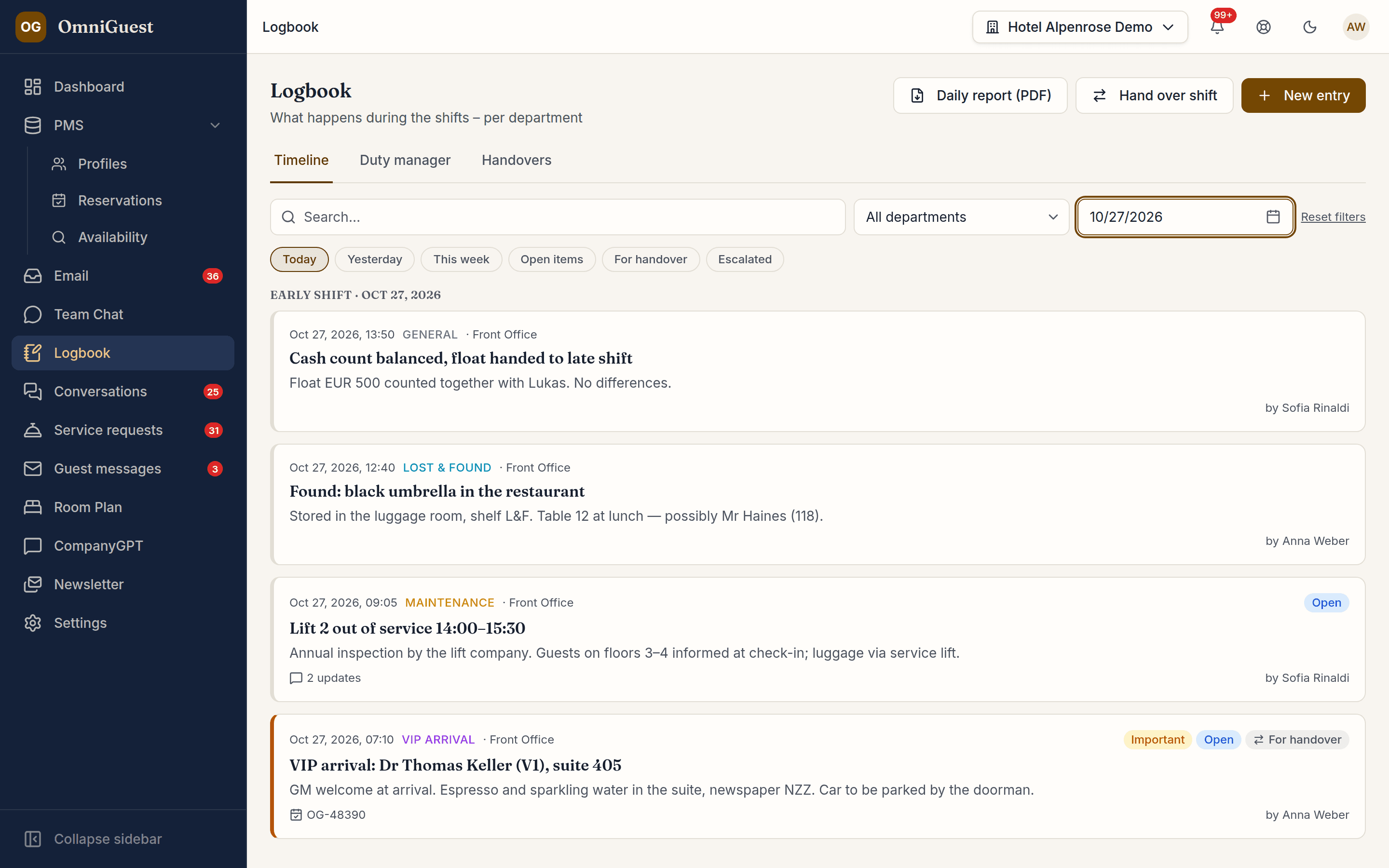
Incidents, complaints, VIP arrivals, lost property and maintenance notes go into one log per department, linked to the reservation, guest or room they concern. At the end of a shift the team hands over, and the next shift confirms that they have read it.
- Scope
- Per department & shift
- Handover
- Acknowledged
- Report
See it in action
Watch it in the app
Narrated walkthroughs recorded in OmniGuest with our demo hotel, with English subtitles.
Linked to the guest and the room
Link an entry to a reservation, a profile or a room and it shows up there as well, in the Logbook tab. Attach photos or PDFs; every file is virus-scanned.
Handover with acknowledgement
Mark entries for handover, let the AI draft a summary of the shift — only when you ask, and editable — and hand over. The next shift confirms, so nobody has to say they didn't know.
Updates on every entry
Colleagues add updates to an entry, @-mention someone, attach files and resolve or reopen it in one step. Everyone involved is notified, and the handover sheet shows the latest updates of the shift.
Duty manager view and follow-ups
Escalated entries land with the duty manager across all departments. Set a follow-up date and OmniGuest reminds you that morning.
Daily report as PDF
One click produces the day's report or the handover protocol as a PDF for the morning meeting or the files — with the right fonts for Thai, Japanese and Chinese.
Works with
- Guest CRM
- Service Requests
- PDF export
See your own hotel's stay, end to end.
Bring a real enquiry from your hotel to the demo. We connect a sandbox PMS, drop your e-mail in and show you the draft — then follow the guest through pre-arrival, chat, service requests and the logbook. Live, in 30 minutes.