02Pre-arrival to post-stay, with approval
The right e-mail before arrival, at check-in and after departure — without anyone remembering to send it.
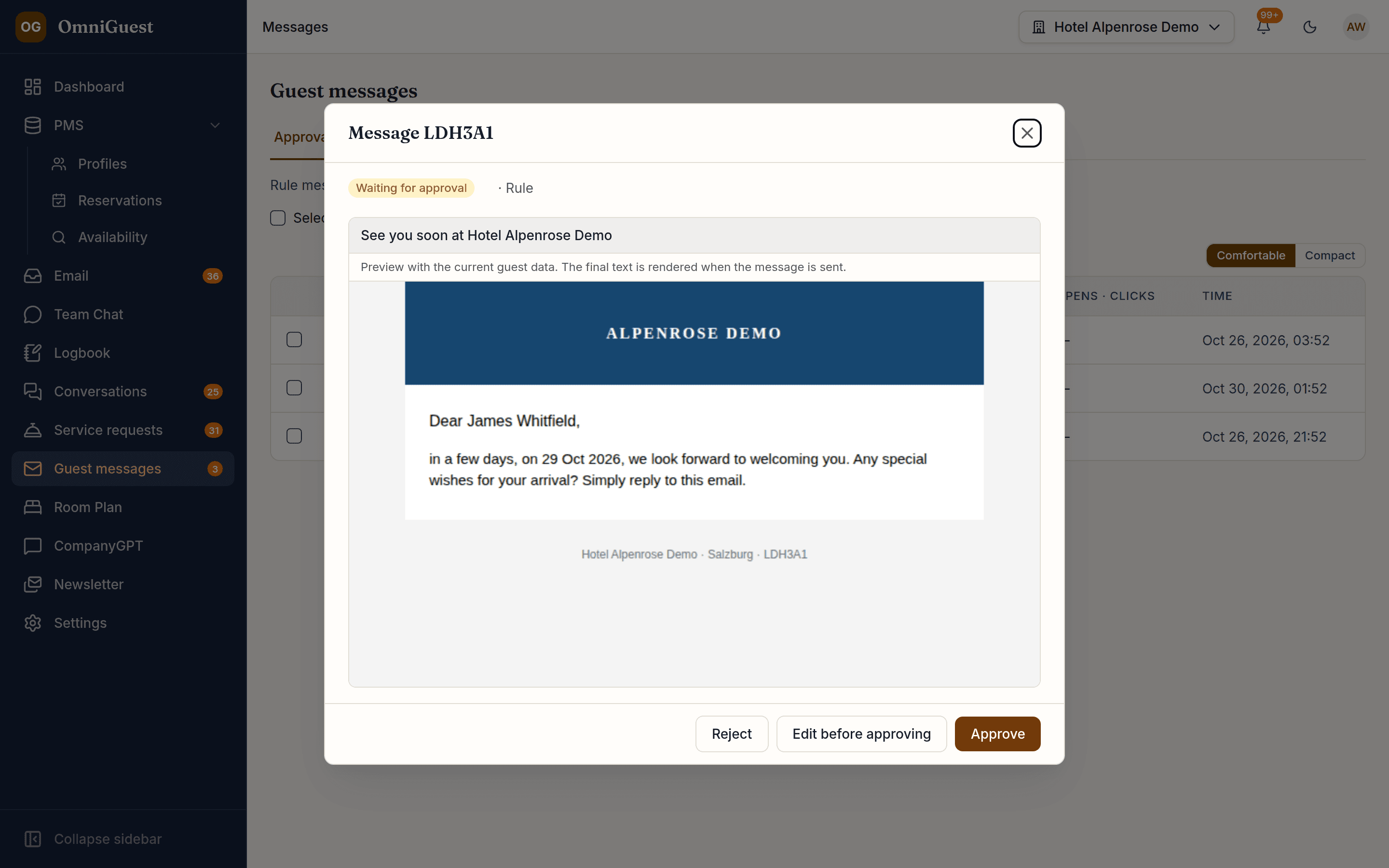
Rules fire when a reservation is confirmed, amended, cancelled, checked in or checked out, or a set number of days before arrival and after departure, in the hotel's local time. Each message is built from your template with live guest data and waits for approval until you decide to send automatically.
- Channel
- Approval
- On by default
- Templates
- EN · DE included
See it in action
Watch it in the app
Narrated walkthroughs recorded in OmniGuest with our demo hotel, with English subtitles.
Welcome at check-in, reminder before, thank-you after
The welcome e-mail is prepared the moment OPERA Cloud reports the guest as checked in — no one has to start it. A pre-arrival reminder with your arrival and check-in details follows the number of days before arrival you choose — late bookings still get it if there is time before arrival. After check-out, a thank-you can carry the link to your feedback or review page. Each template has a version per language; guests get theirs, with English as the fallback.
Triggered by the PMS, timed in hotel time
Days before arrival or after departure at the send time you choose, or the moment a reservation changes. Event triggers use the real-time connection to OPERA Cloud. Templates for confirmation, amendment, cancellation, pre-arrival and post-stay ship in English and German; you write the check-in welcome once, in your own words.
Approve, edit or reject
Automatic sending is off by default: every message waits in an approval list, previewed with the guest's current reservation. Approve it, edit the text first, or reject it with a reason. Switch automatic sending on per hotel when you trust your rules — each rule can still ask for approval.
Your templates, your mailbox
Templates in MJML with placeholders for name, dates and room, a live preview against a real reservation and a test send to yourself. Messages go out through Amazon SES or the hotel's own connected mailbox.
Opens, clicks and bounces per message
Every message keeps its history. Opens and clicks are tracked; delivery, bounces and complaints come back from Amazon SES, and addresses that bounce hard are blocked automatically.
Works with
- Oracle OPERA Cloud
- Amazon SES
- Microsoft 365 · Gmail · SMTP
See your own hotel's stay, end to end.
Bring a real enquiry from your hotel to the demo. We connect a sandbox PMS, drop your e-mail in and show you the draft — then follow the guest through pre-arrival, chat, service requests and the logbook. Live, in 30 minutes.