04Guest wishes, routed to whoever is on duty
Every guest wish has an owner, a deadline and an answer.
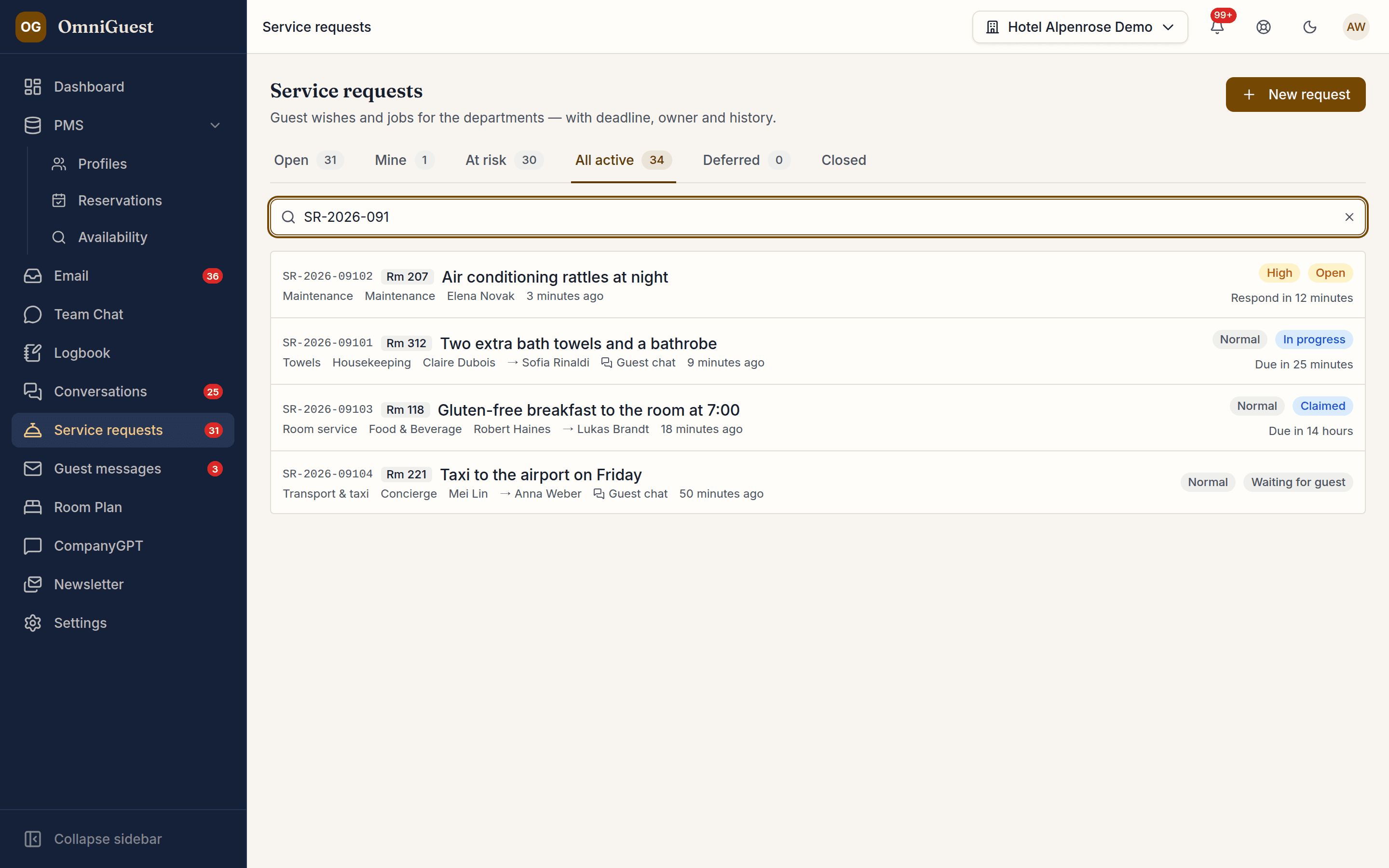
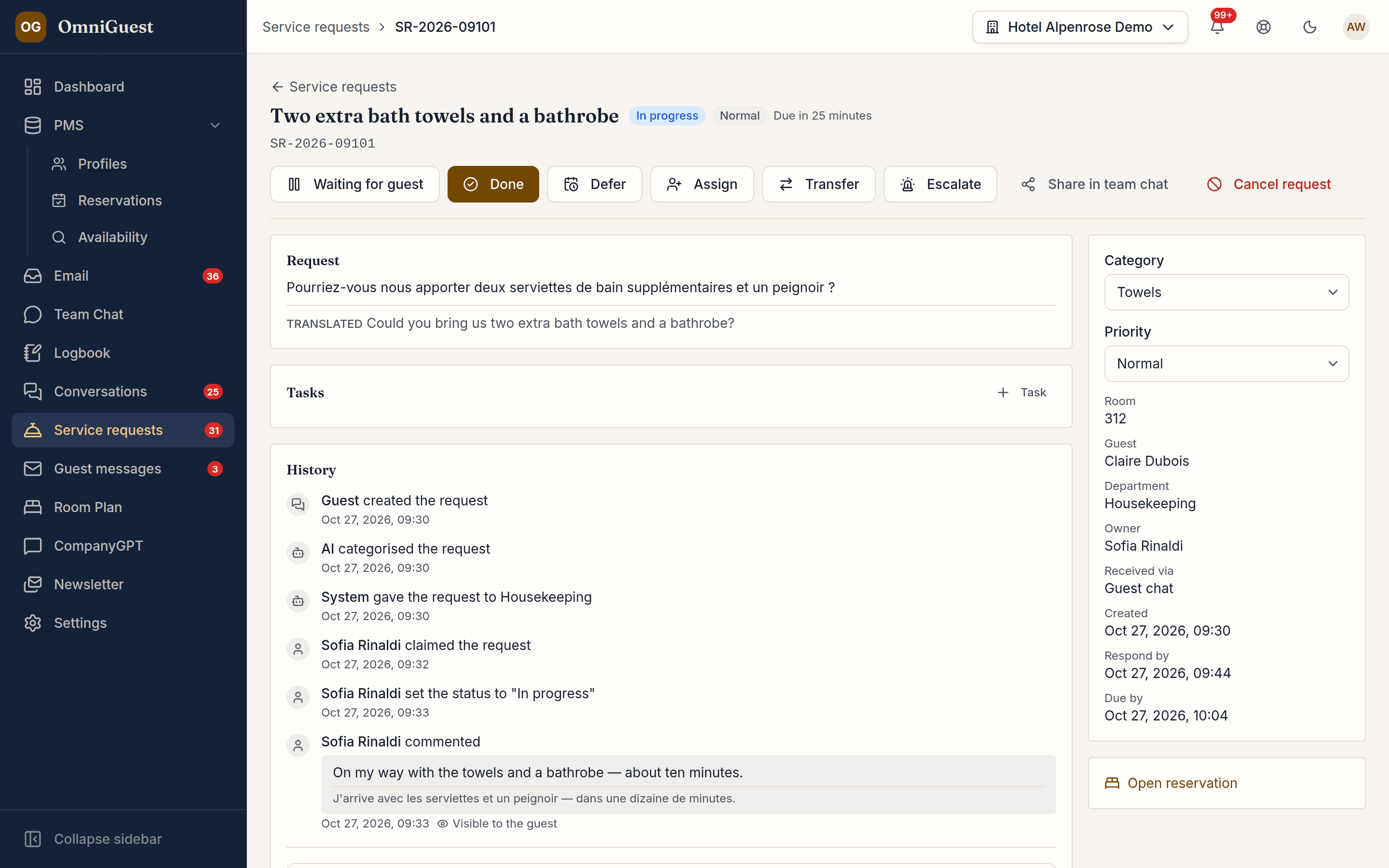
When a guest asks the chat concierge, the request creates itself — nobody types it in. Staff log only calls and walk-ins, picking the stay from the guests in the house. OmniGuest suggests category and priority, translates where needed and routes each ticket to whoever is on duty in the right department. Deadlines are visible, escalation is automatic, and the guest hears back in the chat.
- From the chat
- Created automatically
- Routing
- To staff on duty
- Escalation
- Three levels
See it in action
Watch it in the app
Narrated walkthroughs recorded in OmniGuest with our demo hotel, with English subtitles.
AI triage and translation
Category, priority and a short subject are suggested automatically, following your house rules, VIP guests move up, and a request in another language arrives with a translation — replies go back in the guest's language.
Routed to whoever is on duty
Staff mark themselves on duty per department; new tickets reach them and fall back to Front Office when nobody is. On-duty status expires after twelve hours, so nothing lands with someone who has gone home.
Logged in seconds at the desk
For a call or a walk-in, the reservation picker opens on the guests in the house and today's arrivals: type the room number or a name and the guest and room are filled in. Leave priority and category to the AI, and it writes a short title if you skip one.
Made for the phone in a uniform pocket
On a phone, OmniGuest opens on "My day" for your department: housekeeping and maintenance see their own tasks with a deadline traffic light and take new ones from the department pool, the front desk sees today's arrivals, departures and waiting guest chats, and managers see what is at risk. The + button logs a request or a logbook entry on the spot. Same login, nothing to install.
Deadlines that escalate themselves
Response and resolution times per category, a warning at 80 % and three escalation levels. While you wait for the guest, the clock pauses.
Defer what can wait
A cot for next week's arrival or a taxi for tomorrow morning leaves the work lists until its date and comes back on its own, with fresh deadlines. If you choose, the guest gets a short note with the date in their language.
The guest stays informed
When a request is taken on, completed or answered for the guest, the update appears in their web chat. If the guest withdraws it there, an open ticket is cancelled; one already in progress stays, and its owner is told. Staff get push notifications, attach photos — virus-scanned before they are stored — and can share a ticket in Staff Chat.
Works with
- Guest Chat
- Staff Chat
- Duty Logbook
- Web Push
See your own hotel's stay, end to end.
Bring a real enquiry from your hotel to the demo. We connect a sandbox PMS, drop your e-mail in and show you the draft — then follow the guest through pre-arrival, chat, service requests and the logbook. Live, in 30 minutes.