06Found items back with their owners
From the forgotten scarf to the parcel home — every item has a record.
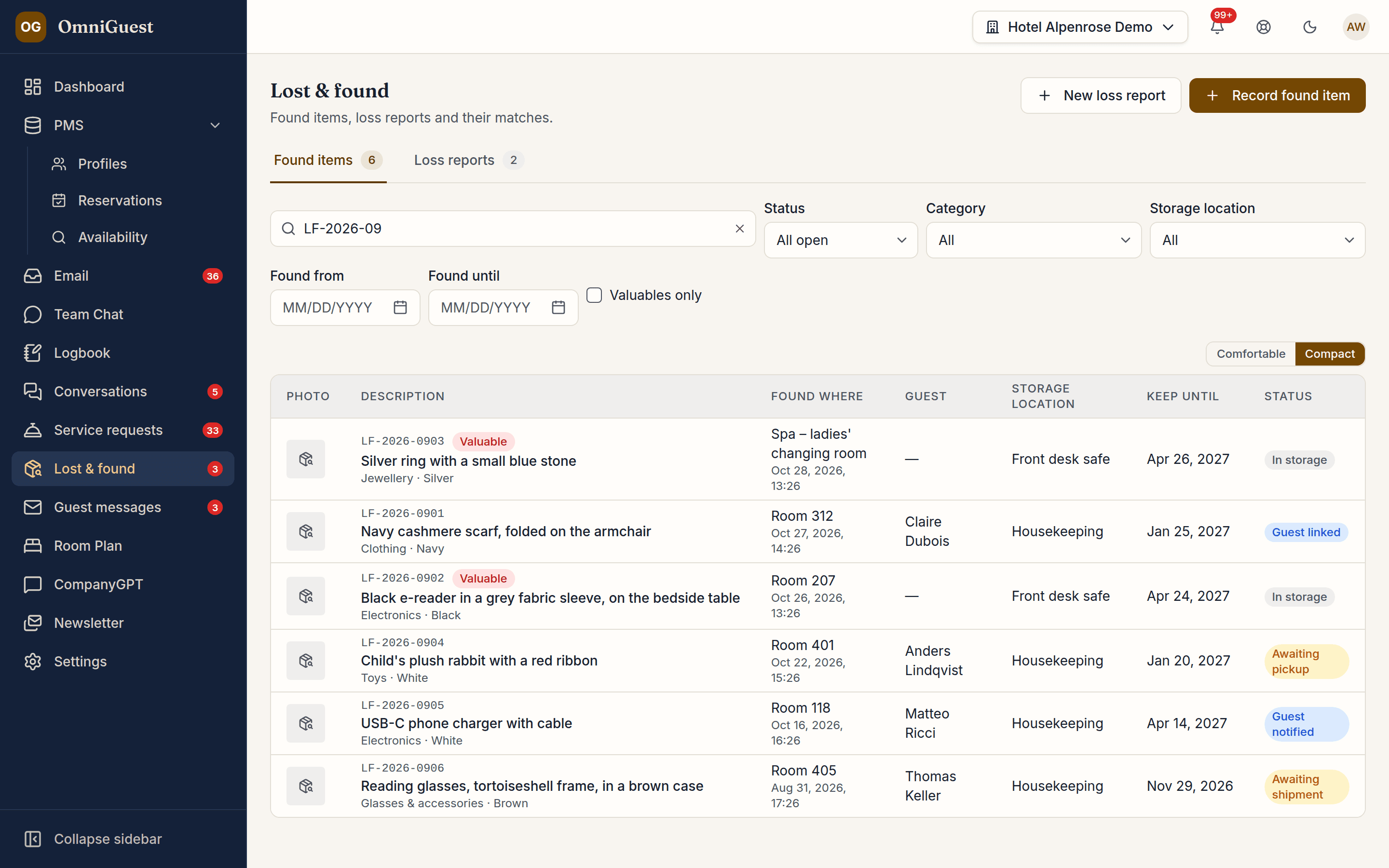
Housekeeping types the room number, OmniGuest suggests the guest who stayed there — in house or recently checked out — and a few photos are enough for the AI to suggest a description, category, colour and brand. Loss reports arrive from the desk, from the guest chat and from e-mail, OmniGuest suggests which found item fits, and staff confirm, notify the guest, hand the item over or ship it.
- Capture
- Phone, photos, AI
- Loss reports
- Desk, chat, e-mail
- Personal data
- Anonymised after 12 months
See it in action
Watch it in the app
Narrated walkthroughs recorded in OmniGuest with our demo hotel, with English subtitles.
Recorded in seconds on the phone
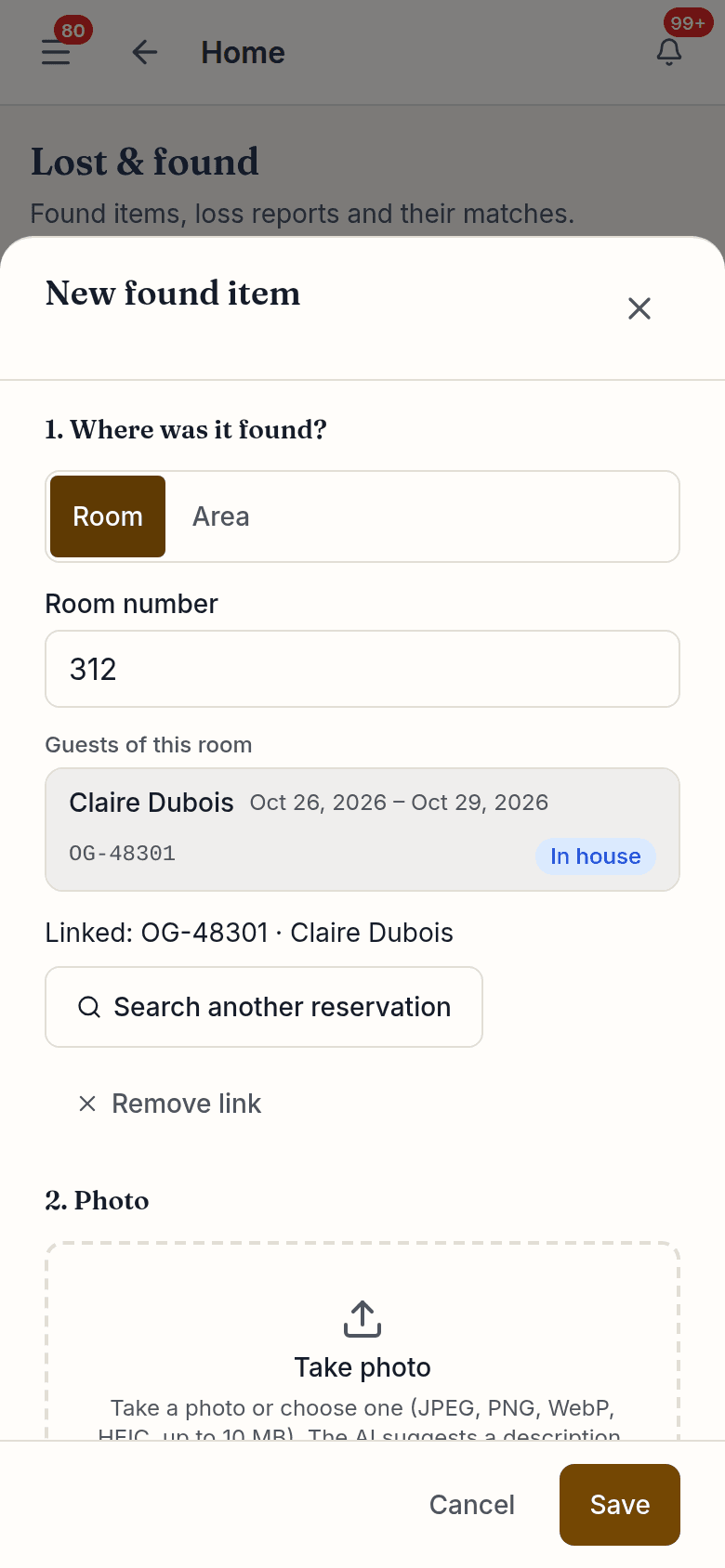
Tap + on the phone, type the room number, and OmniGuest suggests the guest who stayed in that room. Take up to six photos — iPhone photos work as they are.
Match suggestions with a reason
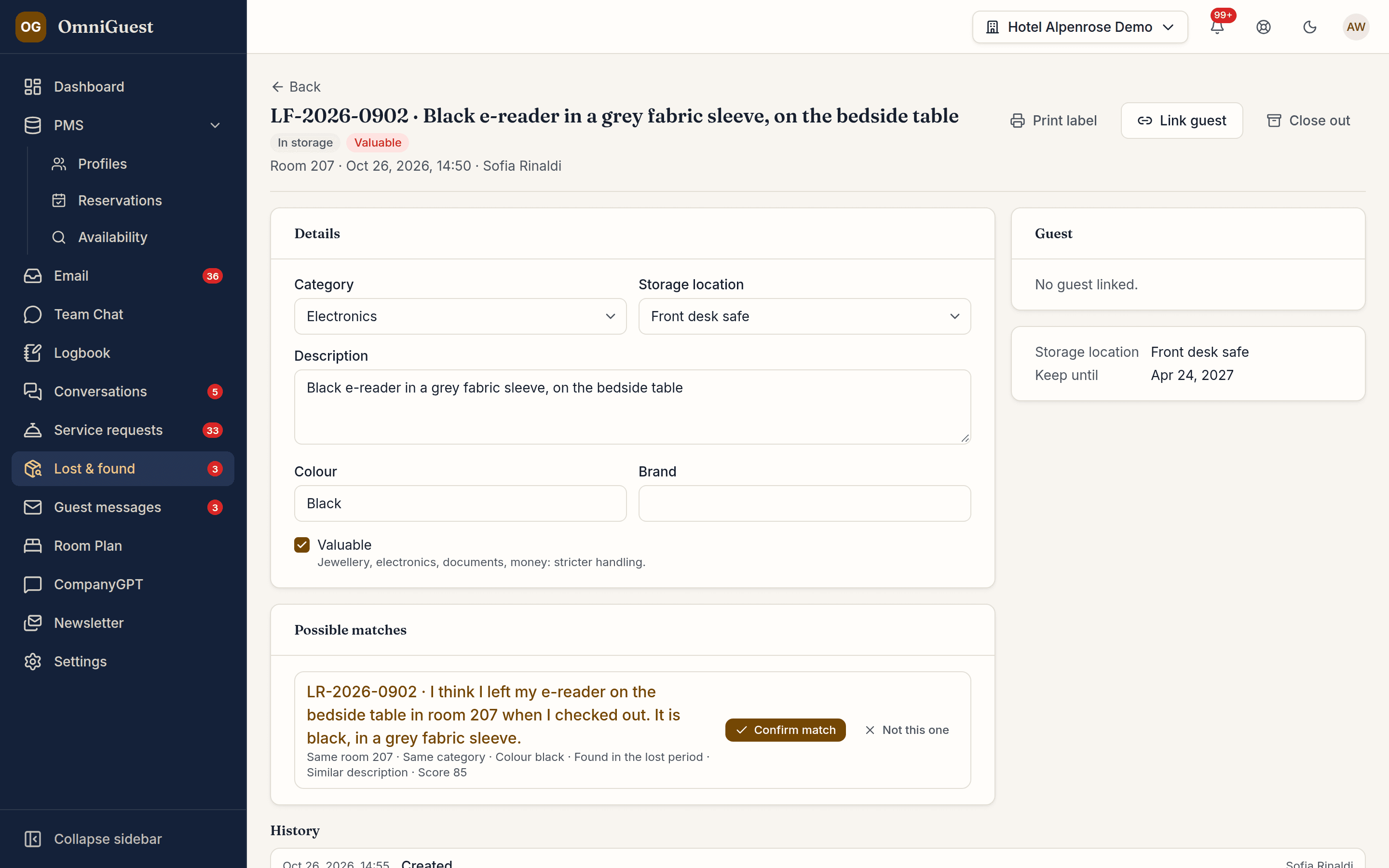
OmniGuest compares found items and loss reports and shows why they fit — same room, category, colour, date or description. Staff confirm the match; nothing is linked on its own.
The AI describes what it sees
From the photos, the AI suggests description, category, colour and brand and flags a possible valuable. If several objects are on the photos, it lists them and suggests a separate item for each. Staff review every suggestion before saving.
Loss reports from every channel
Staff record a report at the desk; a guest who writes "I forgot my jacket" in the web chat creates one on their own; and an e-mail becomes a report in one click, pre-filled by the AI from the message.
Guest e-mails at a click
"Found", "ready for pickup" and "shipped" e-mails come from your templates. Staff see a preview and send it themselves — nothing goes out automatically.
Handed over or shipped, on record
A pickup is recorded with the recipient — for valuables only the ID type and its last four characters. A shipment keeps carrier and tracking link. Each item is closed as returned, shipped, disposed, donated, handed to the police or given to the finder.
Retention, valuables and GDPR
Each category has its own retention period with a reminder when it runs out. Valuables are visible only to authorised staff and must go to secure storage. Twelve months after an item is closed, its personal data is anonymised automatically.
Part of the guest record
A bag label with a QR code for the shelf, a Lost & Found tab on the reservation and the guest profile, a logbook entry and notifications for the team — in all eight app languages.
Works with
- Guest Chat
- Unified Inbox
- Guest CRM
- Duty Logbook
See your own hotel's stay, end to end.
Bring a real enquiry from your hotel to the demo. We connect a sandbox PMS, drop your e-mail in and show you the draft — then follow the guest through pre-arrival, chat, service requests and the logbook. Live, in 30 minutes.