01Email, understood
An inbox that already knows the guest, the dates and the rate.
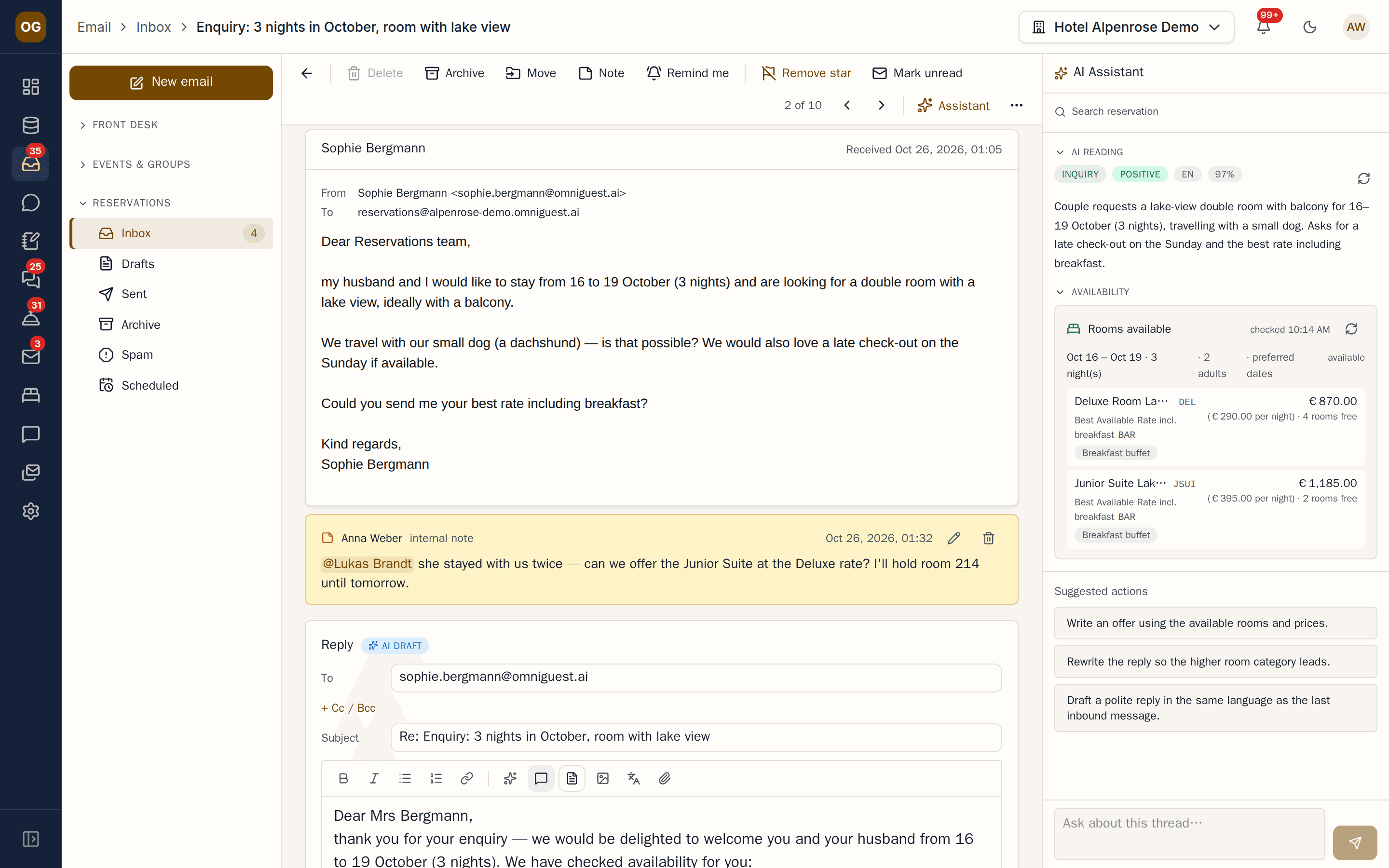
Reservation requests, group enquiries, complaints and thank-you notes land in one shared inbox. OmniGuest reads the whole conversation including readable attachments, links it to the guest and the reservation in your PMS, checks real availability and prepares a reply in your hotel's tone — your team reviews and sends.
- Mail providers
- Gmail · M365 · IMAP
- Availability
- Live from your PMS
- Bookings
- Created in OPERA Cloud
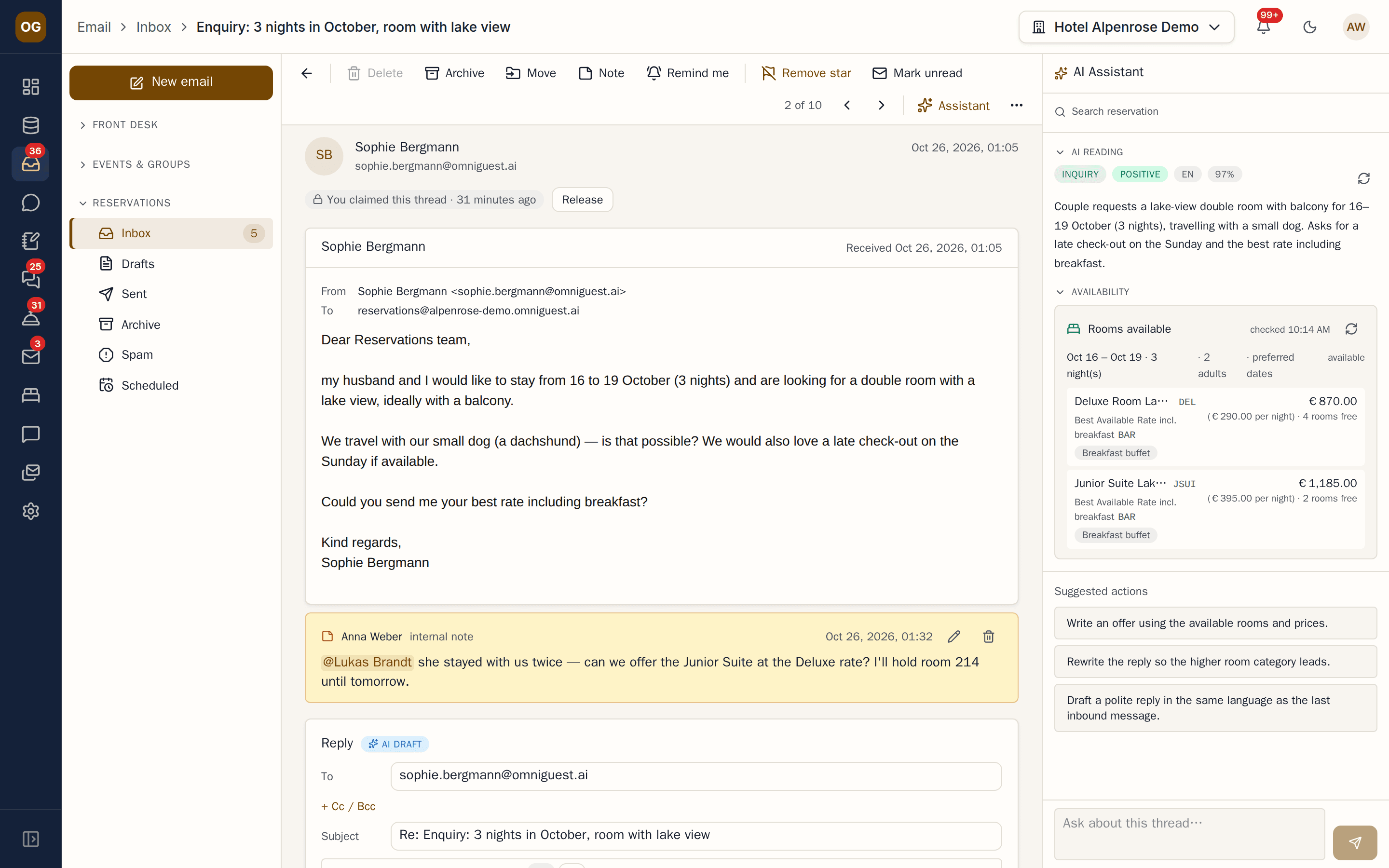
See it in action
Watch it in the app
Narrated walkthroughs recorded in OmniGuest with our demo hotel, with English subtitles.
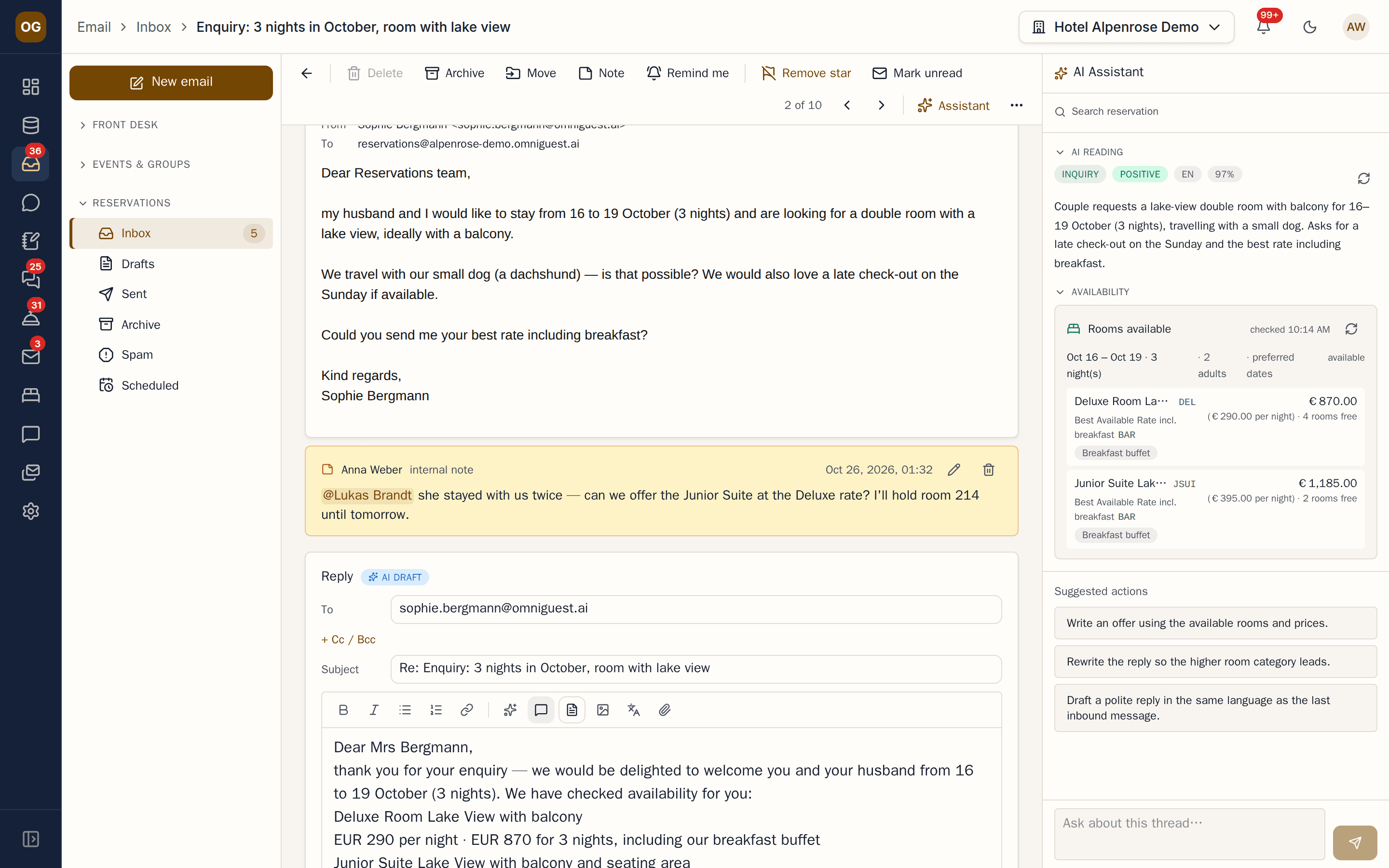
Drafts with real rates, not guesses
When a guest asks for three nights in October — or two rooms for a family, with alternative dates — OmniGuest checks availability and rates in your PMS for every room and stay and renders the numbers into the draft. The AI writes the prose and follows the house rules your management sets; the code writes the prices.
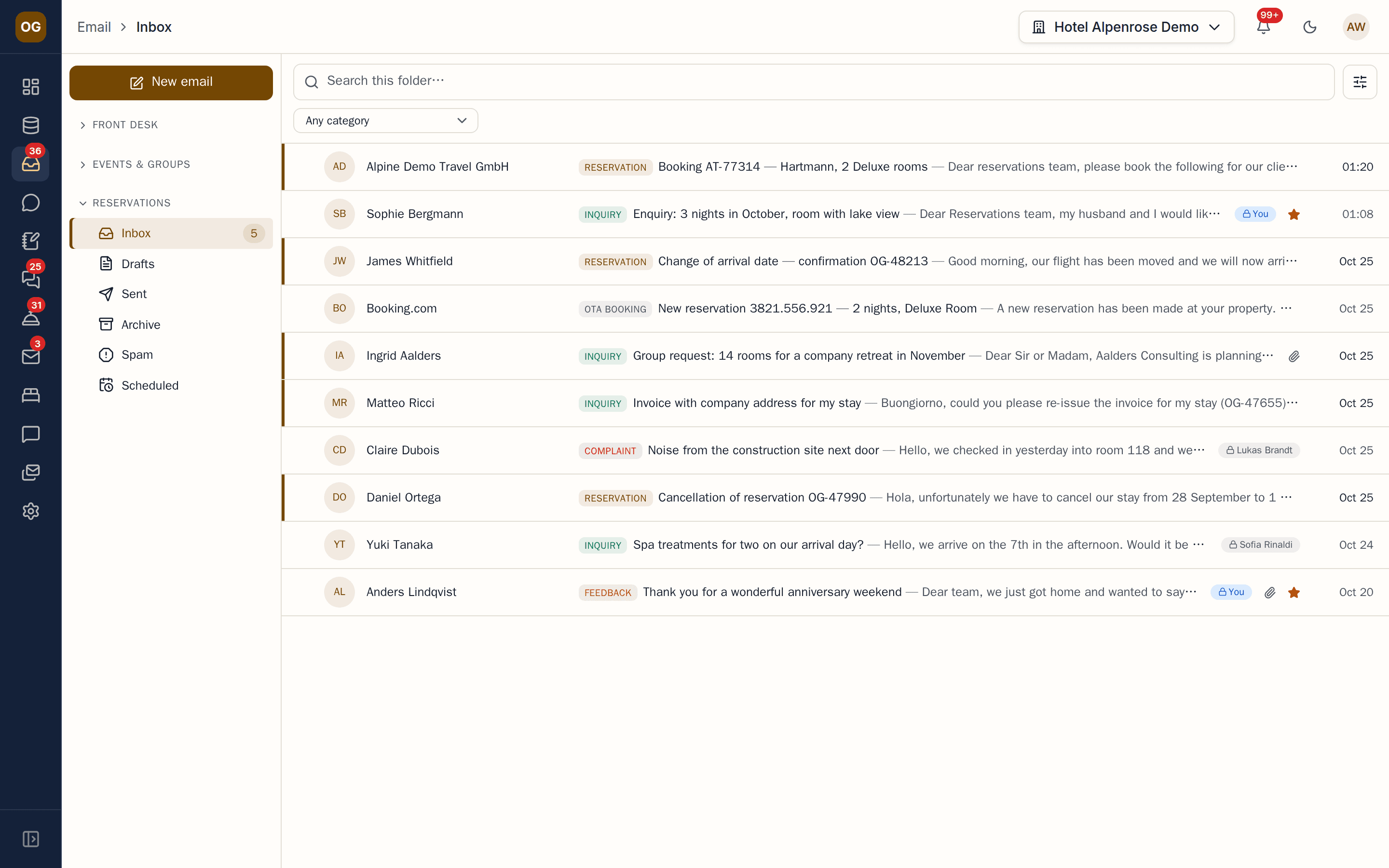
Categorised on arrival
Requests, cancellations, invoices, group business, spam — every thread is classified the moment it arrives, and inbox rules hand it to the right colleague without triage meetings.
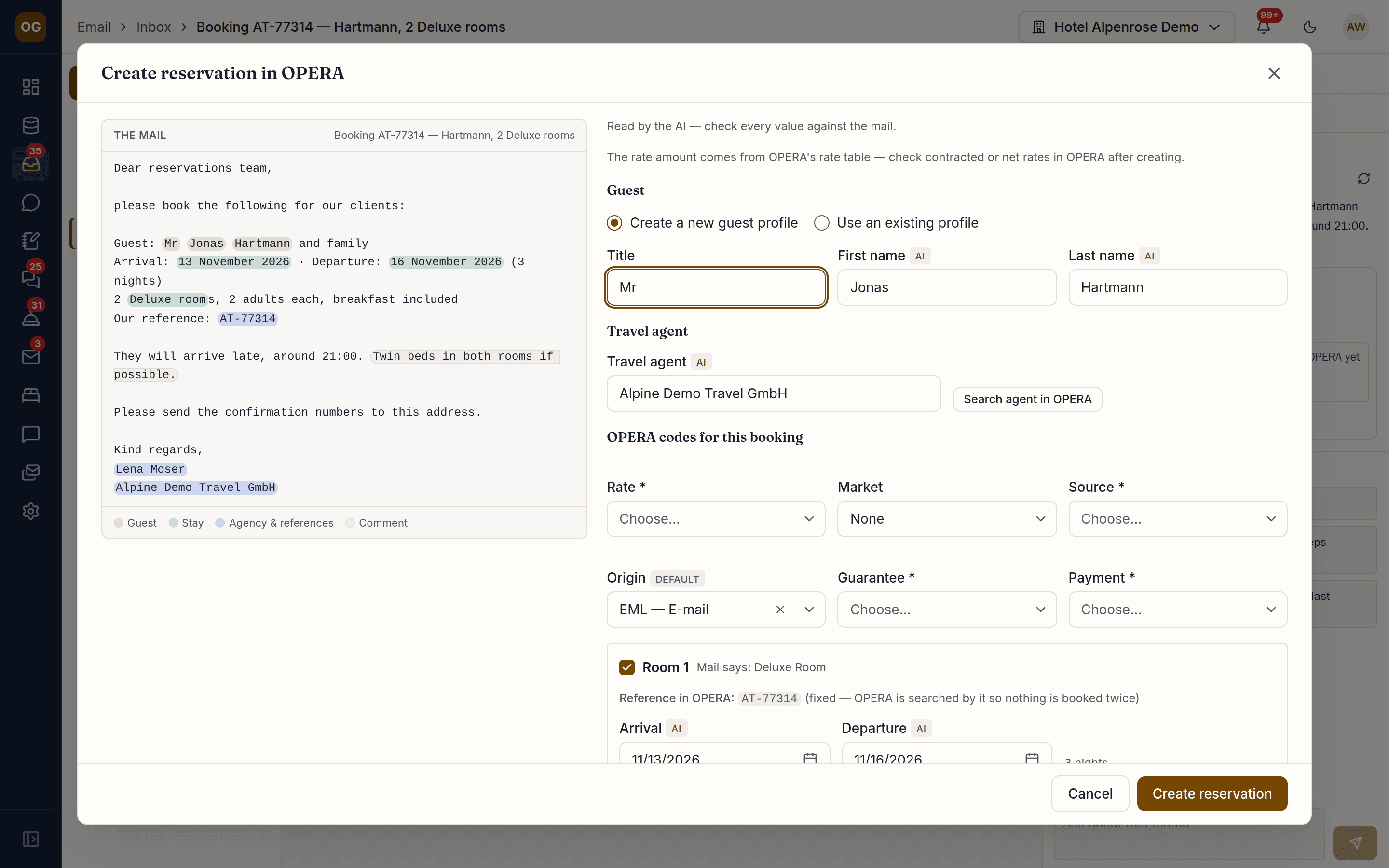
Booking mails become OPERA reservations
When an agency or a guest sends a booking, the AI pre-fills an OPERA Cloud reservation next to the mail. Staff check every value and confirm; the confirmation number comes back to the thread. Agency references are checked, so nothing is booked twice.
Shared mailboxes without chaos
Claim a thread or release it, or let inbox rules assign it. Leave an internal note and @-mention a colleague, who gets notified — notes never leave the hotel. Signatures, templates and attachments are managed per hotel.
The small things that save a shift
Take back a send within seconds or schedule it for later. Get reminded when a guest has not replied, choose the signature per mail, and switch on an out-of-office reply per mailbox that stays quiet towards other auto-responders. Inbox rules move, mark, star and assign new mail.
Your mailboxes, your data
Connect Gmail, Microsoft 365 or any IMAP account with OAuth or app passwords. Mail stays in your provider; OmniGuest syncs, indexes and drafts — and warns you when a mailbox stops receiving.
Works with
- Gmail
- Microsoft 365
- IMAP
- Oracle OPERA Cloud
See your own hotel's stay, end to end.
Bring a real enquiry from your hotel to the demo. We connect a sandbox PMS, drop your e-mail in and show you the draft — then follow the guest through pre-arrival, chat, service requests and the logbook. Live, in 30 minutes.