11One search box for the whole hotel
Type a name. Find the guest, the booking, the request and the e-mail.
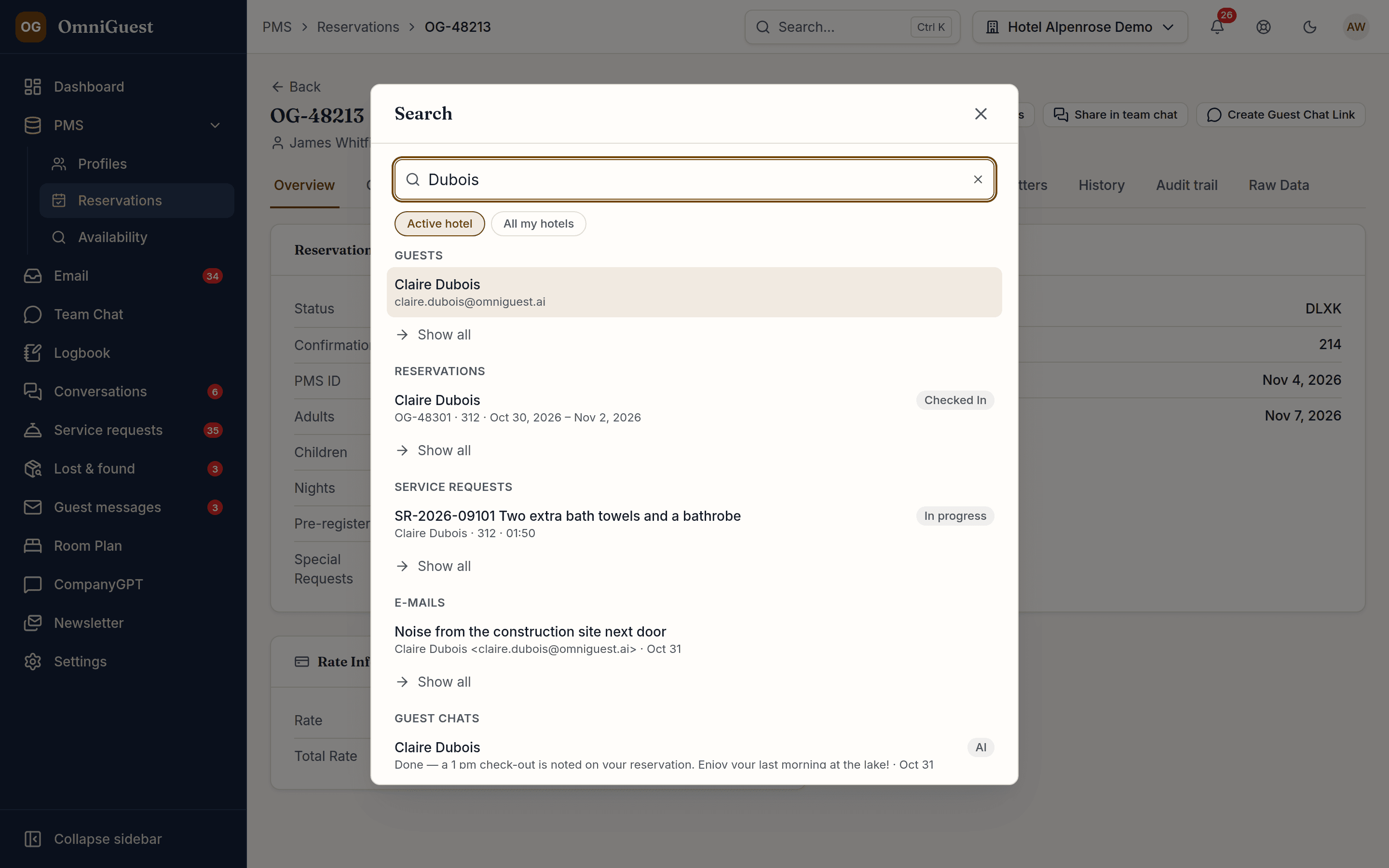
One search box in the header and a command palette on ⌘K or Ctrl+K. Results arrive as you type, grouped by type and ranked by relevance; arrow keys and Enter jump straight to the record. It only ever shows what the colleague is allowed to open on the page itself.
- Shortcut
- ⌘K · Ctrl+K
- Scope
- Active hotel or all of yours
- Languages
- All 8 app languages
See it in action
Watch it in the app
Narrated walkthroughs recorded in OmniGuest with our demo hotel, with English subtitles.
Everything the hotel works with
Guests, reservations, service requests, e-mail threads, guest chats, lost items and loss reports, logbook entries, and the app's own pages and settings. E-mails are found by subject, sender and preview. Hotel knowledge appears as its own group with a short excerpt.
Keyboard first, everywhere
⌘K or Ctrl+K opens the palette from any page. Up to five results per group, “Show all” opens the full list already filtered by your search, and an empty palette offers your recent searches and quick jumps. On the phone, the magnifier in the header does the same.
All my hotels, in one go
Colleagues who work for several hotels can search across all of them. Every result names its hotel, and one click switches to that hotel and opens the record.
Permissions stay intact
The server applies the same rules as each page: departments, mailboxes and hotels a colleague has no access to never show up, and every result is checked again before it is displayed.
Spares your OPERA Cloud budget
Typing never queries OPERA Cloud. For hotels on OPERA, “Search in OPERA” is a deliberate last step that opens the live search for guests and reservations.
Works with
- Guest CRM
- Unified Inbox
- Service Requests
- AI Assistant
See your own hotel's stay, end to end.
Bring a real enquiry from your hotel to the demo. We connect a sandbox PMS, drop your e-mail in and show you the draft — then follow the guest through pre-arrival, chat, service requests and the logbook. Live, in 30 minutes.